
Key highlights
- Audit before you quote, not after; separate one-time cleanup from recurring maintenance and price them separately; the most common finding is a wrong primary category; suspension history changes how you work and what you charge
Most freelancers quote before they look at the profile. Somebody emails asking about GBP management, you send your standard number, they say yes, and three weeks later you find out the profile has two duplicates, a suspension in its history, and 60 unanswered reviews going back a year.
Now you're doing project work for a retainer price.
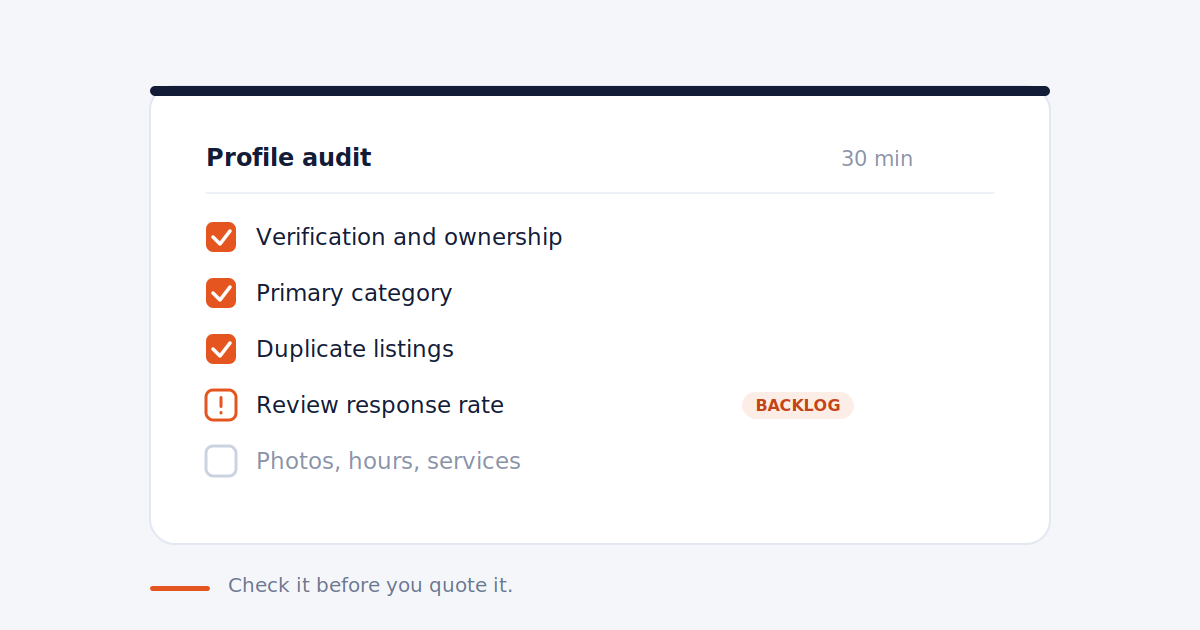
The fix is a short audit before you quote. Thirty minutes, done properly, tells you whether this is a clean profile you can maintain or a cleanup job you should be charging separately for.
Here's what to check.
1. Verification and ownership (5 min)
Confirm the profile is verified and that the client actually controls it. Ask them to log in and show you, or have them add you as a manager on the spot.
You're looking for who else has access. Old agencies, former employees, and the guy who built the website five years ago are all common. If nobody knows who owns the account, that's a recovery project before it's a management engagement.
Red flag: the client can't log in, or the profile was verified by someone they've lost contact with.
2. Suspension history (2 min)
Ask directly. "Has this profile ever been suspended or had a listing removed?"
A profile with suspension history behaves differently. Edits get reviewed more aggressively, and changes you'd make without thinking on a clean profile can trigger a second suspension. It changes how you work and it should change what you charge.
Red flag: any suspension in the last 18 months.
3. Categories (4 min)
Look at the primary category first. It carries more weight than everything else on the profile combined, and it's wrong more often than you'd expect. A med spa listed as "Beauty Salon" or a personal injury firm listed as "Lawyer" is leaving visibility on the table.
Then check secondary categories. Too few is common. Too many, or ones that don't reflect real services, causes its own problems.
Compare against the top three map pack results for the client's main search term. If their categories don't overlap, you've found your first quick win.
Red flag: primary category doesn't match the main service.
4. Duplicates and NAP consistency (5 min)
Search the business name plus city on Google Maps. Then search the phone number. Then search the address.
You're looking for a second listing. Old locations, a listing created by a previous owner, or a service area business that also has an address listing. Duplicates split your ranking signals and they take time to resolve.
While you're there, check that name, address, and phone match what's on the client's website exactly. Suite numbers, abbreviations, and phone formatting all count.
Red flag: more than one live listing, or NAP that doesn't match the site.
5. Reviews (5 min)
Three numbers. Total review count, average rating, and response rate.
Response rate is the one people skip and it's the one that matters most for your scope. Scroll back six months. If half the reviews have no reply, you're inheriting a backlog, and that backlog is hours of work in month one that isn't in your monthly retainer.
Also read the three most recent negative reviews. They tell you whether you're dealing with an occasional unhappy customer or an operational problem the client hasn't fixed. You can't review-manage your way out of the second one.
Red flag: response rate under 50%, or negative reviews describing the same problem repeatedly.
6. Photos (3 min)
Check the count, the recency, and who uploaded them. A profile where every photo came from customers and the last owner upload was in 2023 needs a photo program, not a photo refresh.
Look for the basics: exterior, interior, team, product or work samples. Missing exterior photos is common and it's an easy early win.
Red flag: fewer than 10 owner photos, or nothing uploaded in over a year.
7. Hours, attributes, and services (3 min)
Confirm hours are correct, including holiday hours. Wrong hours generate bad reviews and Google sometimes flags profiles when user-suggested edits conflict with what's listed.
Check whether the services or products section is filled in. On most profiles it's empty. It's free real estate and it takes twenty minutes to populate.
Attributes matter more in some categories than others. Accessibility, payment methods, and appointment options are worth setting.
Red flag: empty services section, or hours that don't match the website.
8. Posting activity and Q&A (3 min)
Scroll the posts. If the last one was eight months ago, you're starting from zero, which is fine as long as you've priced for it.
Then check the Q&A section. Unanswered questions sit there indefinitely, and anyone can answer them, including competitors. It happens more than you'd think.
Red flag: unanswered questions, or a competitor's answer sitting on the profile.
What to do with what you found
Sort the findings into two piles.
Cleanup is one-time work. Duplicate resolution, category fixes, review backlog, filling the services section, an initial photo upload. This is project work and it should be a setup fee, not folded into month one.
Maintenance is what recurs. Review responses, posting, photo cadence, monitoring, reporting. That's your retainer.
Most freelancers lose money by doing the cleanup pile for free to win the deal. You don't have to. Show the client the audit, name the two piles separately, and let them see why the first month costs more than the rest.
If you're not sure what either pile should cost, we wrote a separate guide on what to charge for GBP management.
A note on doing this at scale
One audit is thirty minutes. Ten client profiles is five hours, and you'll need to do a version of this again every quarter to catch drift. Categories change, duplicates appear, review backlogs rebuild.
That's the part worth automating. Checking is repetitive work that doesn't require your judgment until something turns up.
Frequently asked
How long should a GBP audit take? About 30 minutes for a single-location business you've never seen. Longer if you find duplicates or a suspension history.
Should I charge for the audit? For a prospect, no. Use it as your quoting tool. For an existing client, a quarterly audit is reasonable to include in a mid-tier retainer.
What's the single most common problem you'll find? Wrong or missing categories, followed closely by an empty services section. Both are quick to fix and both are easy wins to show a client in week one.
Do I need a tool for this? Not for one profile. Google Maps and the client's dashboard cover it. Across ten or more profiles, doing it manually every quarter stops being realistic.
Stop checking profiles one tab at a time.
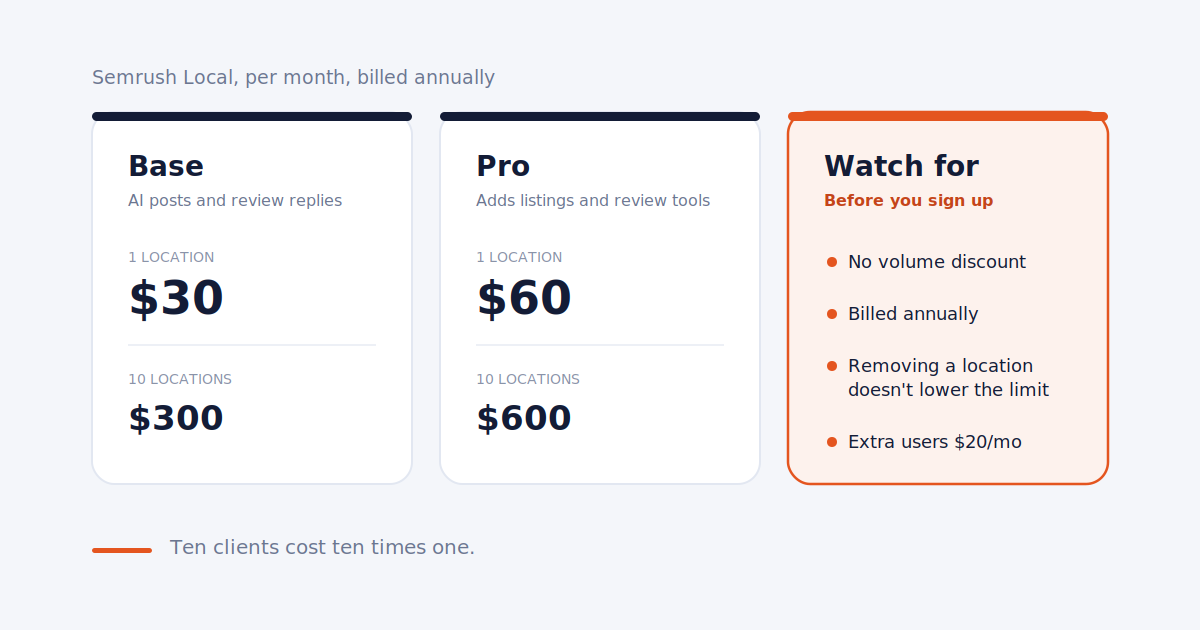
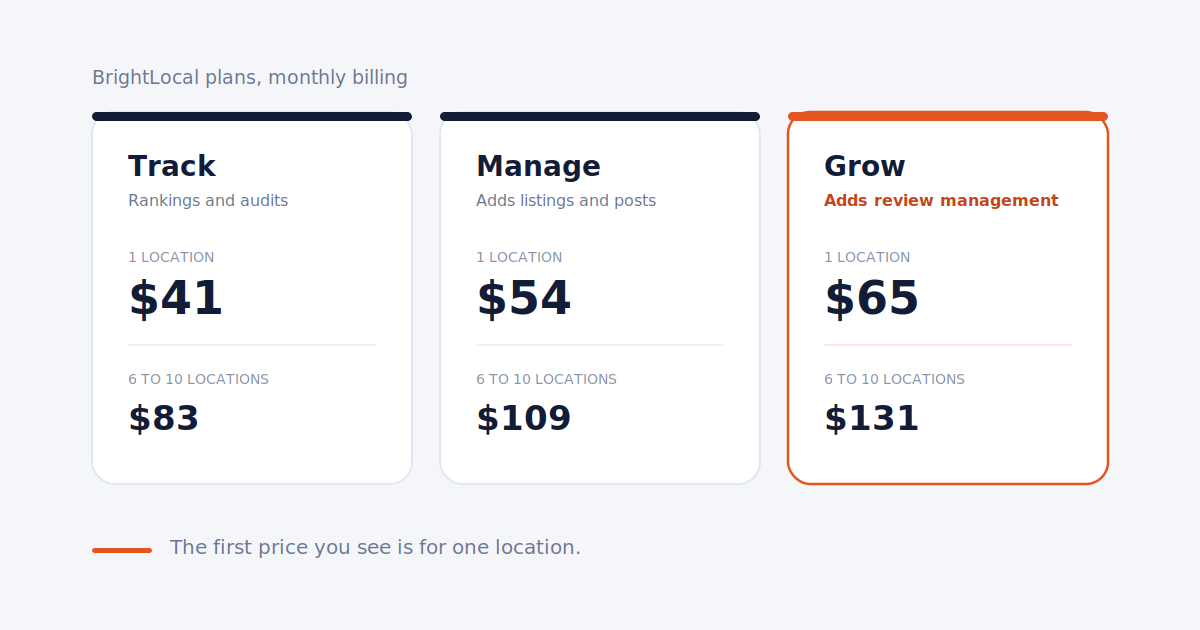
Surfa surfaces profile issues, review backlogs, and ranking drift across every client from one dashboard. Flat pricing, not per location.
Start free trial